Automating PTO document workflow in construction: how the process works and where digitalization delivers value
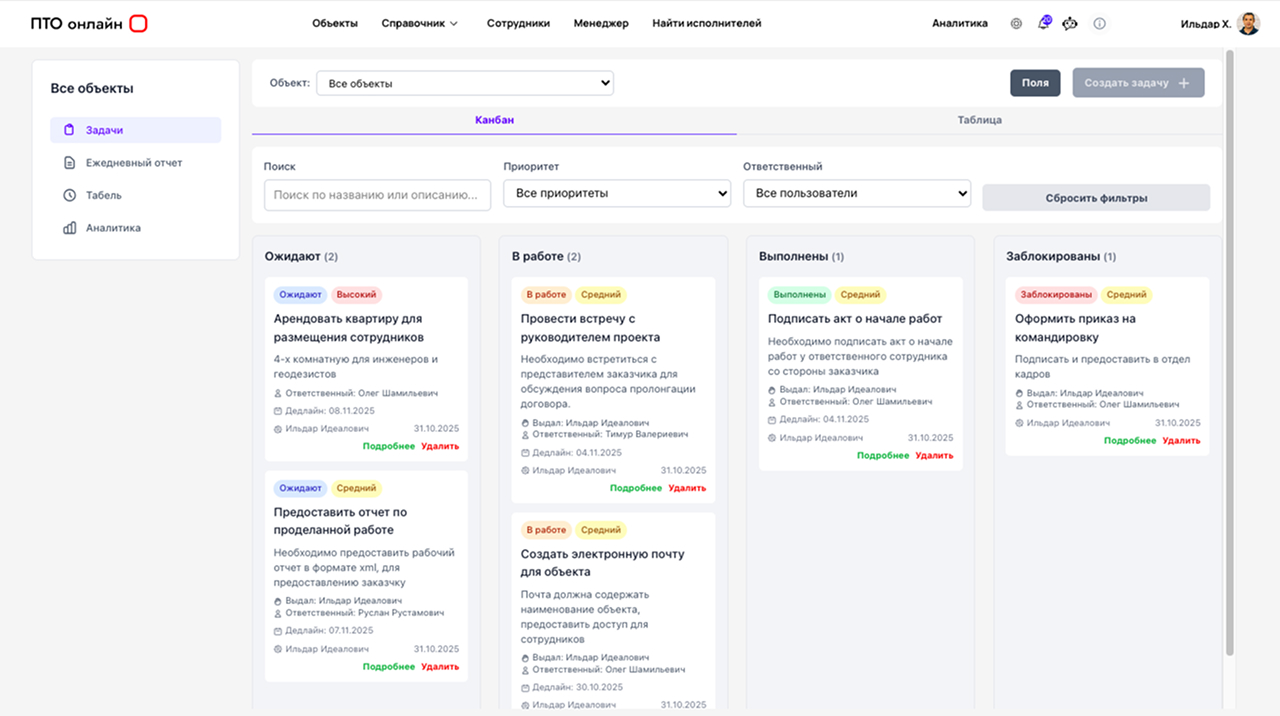
In everyday language, “document workflow” is often reduced to “send a file, get a signature.” For a PTO team on a construction site, that is only the surface. A real PTO document workflow is a coordinated cycle: a work activity or delivery takes place, data is recorded, an entry is prepared in a log or certificate, supporting materials are linked, the document is approved, transferred into the package, comments are addressed, and the cycle repeats if anything does not match. If we simplify it into three streams, it is useful to think of them as incoming, internal and outgoing. Incoming is what arrives from the designer, client or subcontractor: schedules, changes, comments and requests. Internal is what is created on the site and between the office and the field: approvals, versions, comments, and “in progress / under review” statuses. Outgoing is what leaves the company as a package of approved information.
Incoming, outgoing and “quiet” exchange
There is also “quiet” exchange: when the same indicator exists in a site manager’s spreadsheet, a foreman’s correspondence and a PTO draft certificate, yet nowhere is any one of them identified as the source of truth. This is where discrepancies most often arise, only to be corrected later through late-night rechecks. PTO document workflow automation makes sense when a company is ready to define which data is primary and who confirms it. Otherwise, digital tools will simply accelerate the chaos.
Why Excel and shared folders stop coping as the volume grows

Spreadsheets and network folders are not “bad.” They are inexpensive and easy to understand at the beginning. The limitation is not the file itself, but the collaboration model. When there are few projects, a PTO engineer can keep the context in mind: where the latest version is stored, which template is current, and which register was sent to the client last week. When there are several projects and the team grows, this approach breaks down. Versions drift because edits are made in parallel. Deadline tracking turns into a manual audit of folders. Work-progress records and document workflow begin to live in different files, and every reconciliation becomes an investigation.
It is important to separate “easy to edit” from “easy to run a process with.” Excel calculates well, but it struggles to answer questions such as: who approved this, is this the final record, which documents should exist by the date a project stage is handed over, and what is missing from the package? Mature PTO document workflow automation is precisely about resolving such questions through transparent status logic and relationships rather than correspondence. This does not eliminate spreadsheets as an export format; it eliminates the spreadsheet as the only source of truth without rules.
A construction document management system: the minimum framework
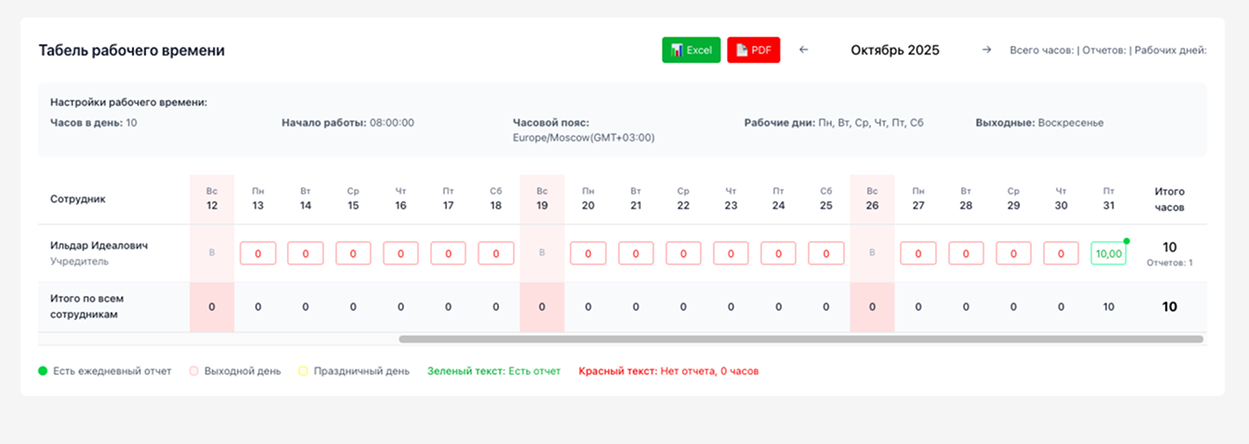
When discussing a construction document management system, it is more useful to think not in terms of a “list of modules,” but in terms of a set of required properties. First, there must be a single project space where the work structure is visible and documents are linked to the actual construction activity rather than to a random file name. Second, there must be standard workflows: it should be clear how a document is created, who checks it and what counts as completing a step. Third, completeness must be monitored, at least through checklists by work type and the mandatory forms for each stage. Fourth, there must be an audit trail showing who changed critical fields and when. Fifth, the process must be repeatable: a new PTO engineer should be able to continue the work without decoding someone else’s “folder architecture.”
Digital PTO document workflow begins when data no longer has to be duplicated manually in ten different places. Duplication is not a problem when it is technical; the problem is when the same indicator is entered again because “it is faster that way,” and people then spend a long time arguing about which figure is correct. That is why a good solution usually relies on the connection between “work event / material / document” and makes it possible to assemble as-built documentation as an output of operational records rather than as a separate manual production line.
Digital PTO document workflow: how the PTO engineer’s role changes

A strong PTO engineer already knows how to assemble a document package. The question is how much time is spent on administration rather than engineering expertise. If the digital environment around PTO documents is configured for real scenarios rather than “for show,” the task profile changes: there is less manual transfer of the same details, less rebuilding of a package after a minor correction, and more control over consistency between forms. This does not mean responsibility disappears. It changes what that responsibility is focused on: not retyping, but verifying the actual work, compliance with standards and the accuracy of links between records.
In teams where site managers and the PTO office work on the project at the same time, a digital environment reduces friction in the exchange of information. A record made on site is no longer lost along the route “photo in a messenger → transfer to a spreadsheet → transfer to a certificate.” In modern solutions such as PTO Online, the focus shifts from “sorting files into folders” to a single project data space from which documents can be assembled and the package can be controlled without constant manual copying.
Managing PTO documentation and automation: where time savings are real
Real time savings almost always come from repeatable operations: the same contractor details, the same document codes, the same links between “log — certificate — register.” If a program or service only improves the appearance of documents, the effect will be small. If it eliminates repeated data entry and provides a rule such as “update a base parameter and every dependent field that must match is updated,” the effect is felt immediately, especially on long-running projects.
The second benefit is a lower cost of error. An error in as-built documentation is rarely limited to “correct one line.” More often it means delayed payment, another review, rebuilding the package, or a conflict with progress-record data. At this point, PTO document workflow automation acts as a safeguard: it does not replace the engineer, but it reduces the category of typos and logical inconsistencies caused by manual duplication.
The third benefit is faster retrieval and submission. A client does not ask, “Where is the file?” The question is, “Please confirm the fact and attach the document trail.” When the project structure and statuses are transparent, the response can be assembled faster, even when the volume of work remains the same.
Control, records and accountability: what one program cannot solve

A program cannot replace a procedure. If it is unclear who records the completed work, who approves the standard form and how incoming inspection is documented, software will turn into an expensive archive of scans. A construction document management system begins with agreements: which documents are mandatory by a given date, which may remain in draft form, and what counts as a blocking comment. Automation strengthens discipline, but it does not create it from scratch.
Training and ongoing support matter just as much. People change on site, and contractors join in the middle of a cycle. If implementation does not include clear rules and support, the digital environment degrades back into “officially in the system, actually in Excel.” That is why, when evaluating a solution, it is worth looking not only at the list of forms, but also at how the service helps keep the process alive and workable.
How to choose a solution without unnecessary risk

It makes sense to begin by diagnosing the pain point rather than by choosing a product name. If the main problem is version control and package completeness, look for scenarios that close gaps and make statuses transparent. If the problem is the flow of primary data from the site, look at the convenience of data entry and user roles. If the problem is consistency between as-built documentation and progress records, look for linked entities rather than a set of disconnected templates.
A pilot on a single project is usually more honest than a large “rollout everywhere at once.” It shows where the process breaks down without software and where software merely masks a weak point. At the pilot stage, it is useful to define three to five measurable criteria in advance: the time required to prepare a standard package, the number of returns for formal errors, the time needed to respond to a typical client request, and the share of documents that are “not found / out of date.”
For example, the PTO Online system is designed so that project and document data lives in a connected environment. This is convenient to demonstrate in practice when explaining the difference between “file storage” and PTO document workflow automation as a process.
Conclusion
PTO document workflow automation makes sense when a company is ready to describe its process: what serves as the data source, which statuses a document passes through, and how the completeness of a package is checked. Universal office tools support file exchange, but they do not replace a construction-specific model. Specialized solutions deliver the greatest benefit where the relationships between work activities, forms and registers matter, rather than simply an attractive template.
If you would like to see how this works in practice, explore the materials at pto-app.ru and compare your current package-preparation route with the process in a single digital environment. There is no obligation to “buy now”; the point is to give your PTO team a clear picture.
Talk to us about PTO document workflow
Leave your name and phone number. We will call you back and suggest a suitable format for the discussion.