What software does a PTO engineer need? A complete guide to professional tools
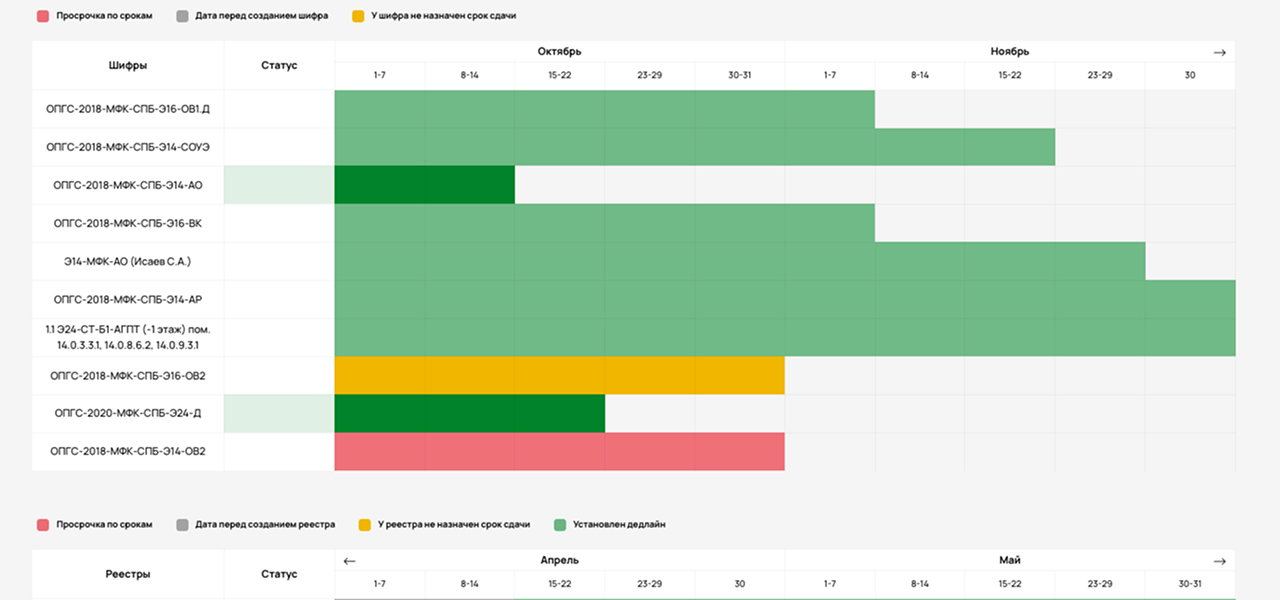
The construction industry demands speed, transparency, and flawless preparation of as-built documentation. Penalties for errors, missed handover deadlines, and a growing workload for PTO departments are forcing companies to rethink their toolsets. The question of what software a PTO engineer should know is more relevant today than ever before.
In this article, we will look at:
what software a PTO engineer needs to know to work effectively;
which tasks specialized software solves;
why as-built documentation automation is becoming a mandatory standard rather than an optional extra.
If you want to do more than simply fill in documents and instead manage the entire process of preparing and submitting them, this guide is for you.
Typical PTO engineer challenges solved by specialized software
Before discussing solutions, let us take an honest look at what PTO engineers deal with every day. Understanding which tools a PTO engineer uses in a manual workflow helps reveal the real value of automation.
1. Manually completing documents takes up to 40% of working time
Work logs, registers, equipment passports, and as-built drawings all require the same data to be entered repeatedly. In Excel, this is done manually. In specialized software, it is done automatically.
2. Documentation errors lead to returns, penalties, and missed deadlines
Human error has not gone away. A typo in a passport number, an incorrect date, or a missing signatory can send a document back for revision. That means lost time, stress, and direct financial losses.
3. Fragmented storage: documents sit in folders and versions get lost
When project documentation is scattered across network-drive folders, site managers’ laptops, and flash drives, finding the current version becomes a quest. Control is lost.
4. Scaling without automation means more chaos
You can still manage one project manually. But when there are three, five, or ten projects, the PTO workload grows nonlinearly. Without a digital system, every new project increases not profit, but the number of problems.
Conclusion:
A basic PTO engineer software toolkit, such as Excel and Word, is a starting point. But systematic work, fewer errors, and control across several projects require a specialized tool that automates routine work and centralizes data.

Software for PTO engineers: which features truly matter
We analyzed more than 70 construction companies and identified the essential features a modern PTO engineer software solution should provide. This is the answer to the question of what software a PTO engineer should know to work at a modern professional level.
What truly matters:
Automatic completion of work logs, registers, and summary statements
The system pulls data from previous documents on its own, eliminating repeated manual entry.
AI recognition of equipment passports
Artificial intelligence scans passports, extracts key data, and adds it to registers. No more retyping information by hand.
One-click creation of registers and summary reports
Any selection by project, work type, or date is generated automatically.
A single library of as-built documentation templates
All forms, including logs, registers, and as-built drawings, are stored in one place. No more searching for that one file on a drive.
Document version and status control
You can always see which document is being completed, which is under review, and which has already been submitted.
Access for every participant
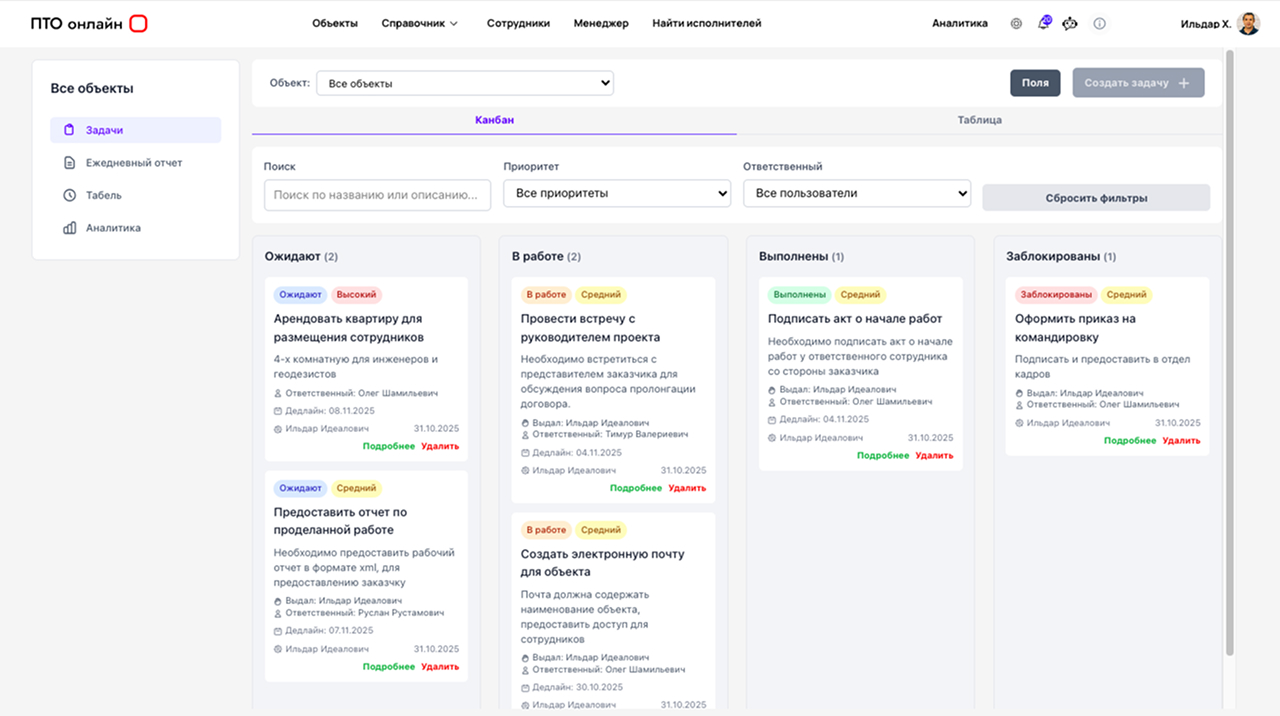
Site managers enter data on site, foremen record quantities, and PTO engineers verify information and create final documents—all in one system.
Comparison: Traditional Approach vs PTO Online
To understand the difference, simply look at the table below. It compares a manual, fragmented process with a professional, centralized one.
Try the software
14 days free
Try it

PTO engineer training software: how to master the tool quickly
One common search request is “PTO engineer training software.” That is logical: every new tool raises the question, “How long will implementation take?”
With PTO Online, the answer is two days.
Here is why this is realistic:
An intuitive interface
We designed the system to be clear to a PTO engineer from the very first minutes. Every section is logical, and the controls do not require extra explanations.
Built-in training
The portal includes detailed video lessons and written instructions for every feature. You can learn the system at your own pace.
24/7 support
If you cannot resolve an issue on your own, technical support helps in real time.
Training during implementation
We do not leave you on your own after registration. During the first days, the implementation team helps configure processes and answers questions.
Important:
You do not spend months on implementation. You start saving time on documentation as soon as you begin.
What software does a PTO engineer work with? One platform instead of chaos
The query “what software does a PTO engineer work with?” often suggests a list of ten disconnected tools. But the more PTO engineer software products a company uses, the harder control becomes.
Our approach is different. You do not need to know ten programs. One is enough: PTO Online.
The platform covers the following types of documents and tasks:
General and specialized work logs
Maintained digitally with completion control.
As-built drawings
Linked to documents and stored centrally.
Equipment passports and certificates
AI recognizes the data and automatically updates registers.
Registers and summary statements
Generated automatically for submission to the client or for internal control.
PTO Online becomes a single window for all as-built documentation, replacing several disconnected tools and eliminating chaos.
Why PTO engineers choose PTO Online
We are more than PTO engineer software.
We are a tool that gives engineers back their expert role by removing routine work.
40% less time spent completing documents
Automation frees up to two days per week for work that truly matters.
30% fewer errors in as-built documentation
Human error is reduced through automatic checks and AI-assisted completion.
Implementation in two days
No cumbersome systems and no months of training.
AI at every stage of work
Artificial intelligence does more than assist: it takes on the most time-consuming part of document work.
Already used by more than 70 companies
Contractors and subcontractors across Russia trust us with their projects.
Talk to us about PTO document workflow
Leave your name and phone number. We will call you back and suggest a suitable format for the discussion.