automatically generate as-built documentation
Service · PTO Online
Automation of as-built documentation in construction
Cut the time spent preparing as-built documentation by up to 40% without Excel, errors, or manual data entry
PTO Online helps you automatically generate certificates, logs, and complete as-built documentation packages in one system

Why as-built documentation delays projects
In most construction companies, as-built documentation is still maintained manually or in Excel. This leads to recurring errors, lost data, and missed deadlines.
Key challenges:
- manual completion of certificates and logs
- duplicated data across different files
- errors in KS-2 and KS-3 forms
- no unified document structure
- complex review and control processes

As a result, PTO engineers spend dozens of hours on routine tasks instead of supervising construction work.
How to automate as-built documentation
Automation moves all work with as-built documentation into one digital system.
With PTO Online, you can speed up the preparation and handover of documentation.
use ready-made document templates
store all data in one system
eliminate errors through validation checks
Automation tools
As-built documentation package builder
Create a complete package from standard blocks: details and recurring information are populated automatically, without manually copying data between files.
Analytics
View document workflow and deadline summaries and metrics in one window. Plan PTO workload more easily and identify bottlenecks without separate Excel reports.
Electronic logs
Maintain records in a structured format: chronological entries, convenient viewing, and exports for inspectors.
Template library
Ready-made templates and approved wording for your organization: a consistent format reduces the number of comments when documentation is submitted.
Pre-export checks
The system highlights incomplete fields and inconsistencies, so issues are found before the project is handed over.
Storage and search
Cards and files in one database: search by project, stage, document type, or responsible person.
Connected data
Project information, counterparties, and details are entered once and automatically used in all related forms, preventing discrepancies in document details.
Roles and access
Configurable permissions for PTO staff, site managers, and management: everyone sees their own area of responsibility and the current versions of documents.
Automating as-built documentation in Excel: why it does not work
Many companies try to automate as-built documentation in Excel. In practice, this only produces a temporary effect and creates new problems.
Excel drawbacks:
- high risk of errors
- no version control
- difficult collaboration
- no automatic data validation
- cannot be scaled
PTO Online solves these challenges with a complete system, not individual files.

What you get from as-built documentation automation
One uninterrupted project workflow: the as-built documentation package is created from templates, data is populated automatically,and approvals proceed without scattered folders, file forwarding, or unexpected issues at handover.
-
A complete as-built documentation package is generated from templates
data is populated automatically, without manual duplication
Document templates create a unified project package, while information about work performed, details, and participants is automatically filled in across related forms:
- AOSR and AOOK certificates
- General Construction Log (OZhR) and special-purpose logs
- Concrete and welding work logs
- As-built drawings
- As-built documentation registers
- Incoming inspection
- Supporting as-built documentation
-
Work with documentation online
less routine work thanks to auto-fill and a single version of the data
Using the same template-based package, the team works digitally: data is not transferred manually between files but used within one system.
- Documents at Hand Certificates, logs, and drawings are stored in a single project database.
- In-System Approval Statuses and comments show what needs to be revised.
- One Version The work log and forms stay consistent because they are completed from the same data.
- Shared Environment Digital as-built documentation and electronic document workflow are available to all project participants.
-
Ready for handover without returns
completeness and comments are visible in advance through automation
When documents are created from templates and populated from a shared data structure, it is easier to control what is ready for handover:
- Readiness of as-built documentation packages and approval statuses
- Comments on as-built documentation in document cards and registers
- Completeness before handover and control over resolving comments
As a result, the project is ready for handover faster: template-based generation of as-built documentation and automatic data population reduce manual work, package gaps, and returns during acceptance.
What PTO Online automates in as-built documentation
Connected As-Built Documentation Workflow
From project data to a complete documentation package
PTO Online automates not just a single document, but the connected as-built documentation preparation cycle: templates, auto-fill, logs, certificates, and project package completeness all work in one system.
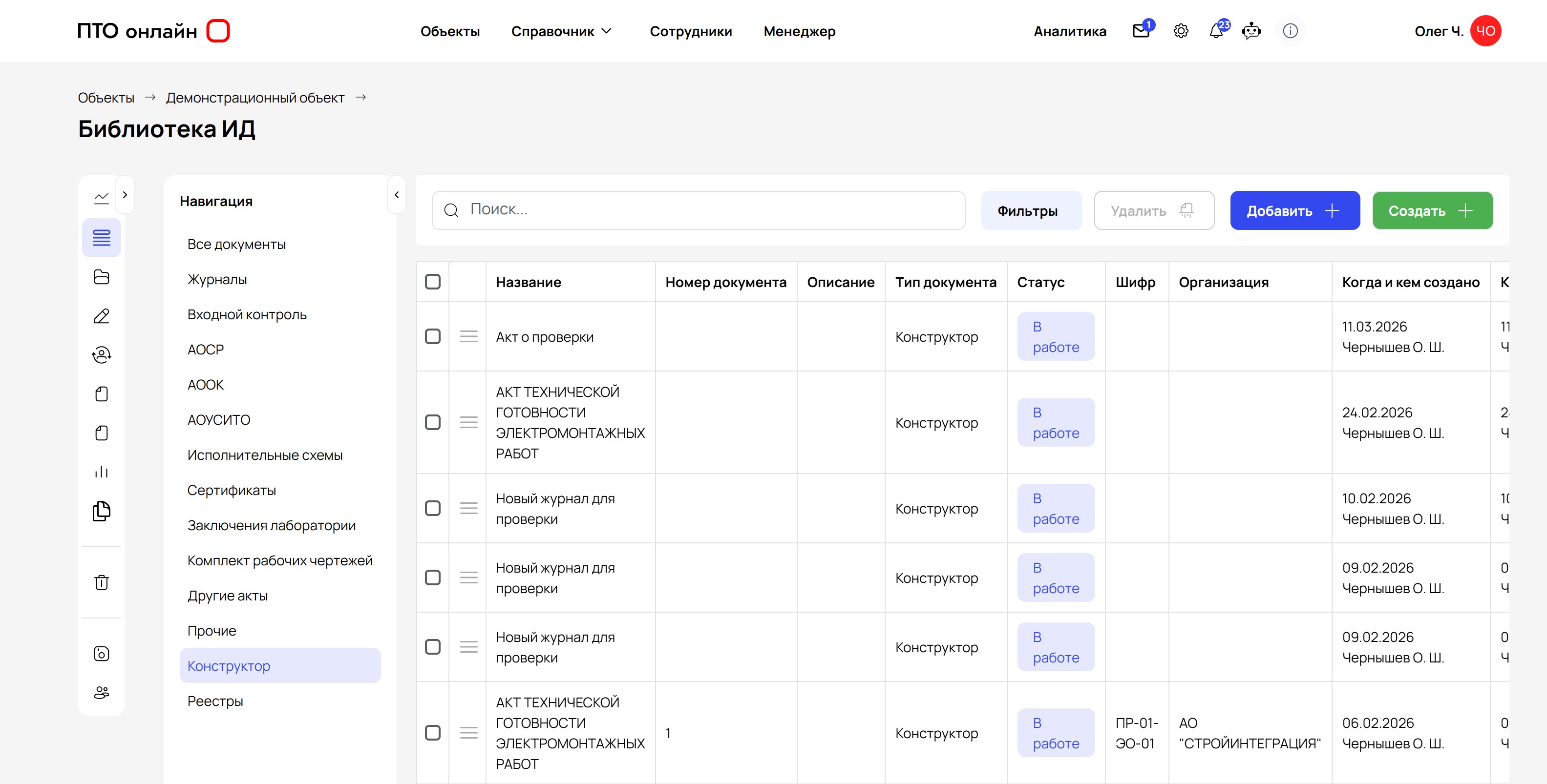
Preparing as-built documentation
Documents are generated from templates and shared project data, without repeatedly copying details between files.
Generating AOSR and AOOK certificates
Certificates are created from templates with project, participant, and work data populated automatically, then added to registers and the as-built documentation package.
Work logs
The General Construction Log (OZhR), incoming inspection, and related forms are maintained digitally and use the same project data structure.
Storage and search
Documents, versions, and related files are stored by project and section, making the required as-built documentation easier to find and verify before handover.
How automation works in PTO Online
-
1
Create a Project and Set Up the Foundation
You do Create a project and add participants, details, and document templates. PTO Online does Uses this data as the basis for logs, certificates, and as-built documentation packages.
-
2
Enter Work and Log Data
You do Add records to the General Construction Log (OZhR), incoming inspection, and related forms based on the work actually performed. PTO Online does Uses the same information in documents without manually transferring it between files.
-
3
Generate Certificates and the As-Built Documentation Package
You do Select the required documents and generate a package by project and section. PTO Online does Populates documents from templates, links them to the project, and compiles them into registers.
-
4
Check Statuses and Handover Readiness
You do Check statuses, comments, and the package's readiness for submission. PTO Online does Shows which documents are ready and what still needs to be completed before handover.
The workflow is built on templates, auto-fill, and a single project data structure.
Who is as-built documentation automation for?
PTO Online helps organize a single workspace for preparing, reviewing, and storing project as-built documentation.
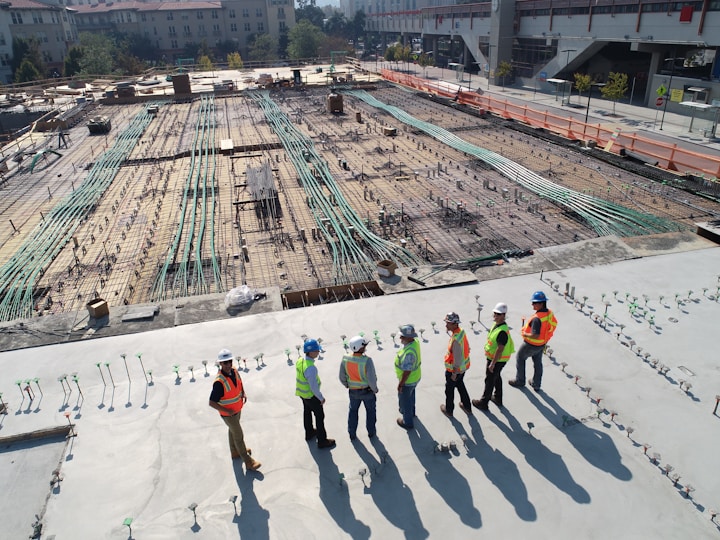
- contractors and subcontractors
- general contractors
- engineering companies
- PTO engineers
- construction supervision teams
- technical clients
Implementation results
Implementation impact
As-built documentation automation delivers a clear practical result for PTO teams: less routine work, fewer errors, and more predictable project handover.
- reduce documentation preparation time by up to 40%
- reduce the number of errors
- transparent process control
- accelerate project handover